How Digital Billing Can Make Store Operations More Efficient
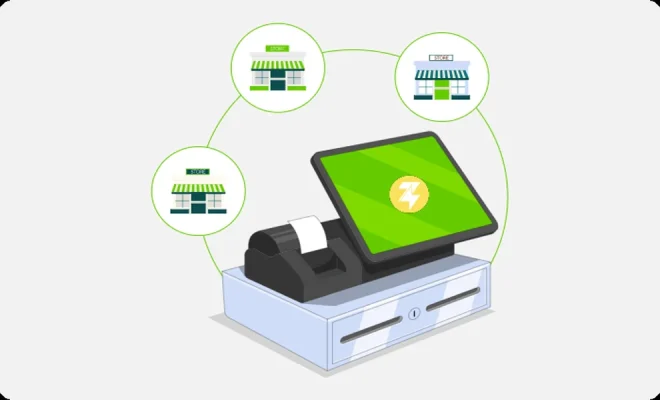
Running a store involves much more than selling products to customers. Store owners and employees need to create bills, collect payments, track sales, manage inventory, handle returns, and maintain transaction records. When these activities are handled manually, even routine tasks can consume significant time and lead to avoidable errors.
Digital billing can help businesses organize these activities through a structured and technology-driven process. A QR Billing App can support digital billing and QR-based payment activities, depending on the features provided by the service. At the same time, Merchant Billing can help businesses maintain organized records of customer purchases and transactions.
For small retailers, supermarkets, restaurants, pharmacies, service outlets, and other businesses, the right digital billing setup can make everyday operations more manageable. However, businesses should select tools according to their transaction volume, operational requirements, budget, and customer preferences.
What Is Digital Billing?
Digital billing is the process of creating, recording, and managing customer bills electronically instead of relying entirely on handwritten invoices or manual registers.
A digital billing system may allow businesses to:
- Create customer bills
- Add products or services
- Calculate totals
- Apply discounts
- Record payments
- Generate receipts
- Track sales
- Manage returns
- Monitor inventory
- Generate reports
The exact functions depend on the software or application being used.
For a small store, even basic digital billing can reduce repetitive calculations and make transaction records easier to organize.
Why Efficient Billing Matters for Stores
Billing is one of the most frequent activities in a retail business. A store may process dozens or hundreds of transactions in a single day.
If every transaction is manually recorded, employees may need to spend considerable time entering product details, calculating totals, recording payment information, and maintaining sales registers.
Digital billing can streamline several of these steps.
A typical process may look like:
Select products → Generate bill → Confirm amount → Receive payment → Provide receipt → Save transaction
This structured workflow can help reduce unnecessary repetition.
Faster Checkout for Customers
Customers generally want a quick and straightforward checkout experience.
Long queues can become particularly challenging during weekends, holidays, festivals, and peak shopping hours.
Digital billing can help employees find products, calculate totals, and generate receipts more efficiently.
The actual checkout speed depends on factors such as:
- Number of products
- Employee familiarity
- Device performance
- Internet connectivity
- Payment method
- System design
A well-organized billing process can nevertheless make everyday transactions smoother.
Reduce Manual Calculation Errors
Manual calculations can lead to mistakes, especially when a bill contains several products.
Employees may accidentally enter the wrong quantity, add incorrect prices, or miscalculate discounts.
Digital billing systems can automatically calculate totals based on the information entered into the system.
This can reduce some common calculation errors and provide a consistent billing process.
However, employees should still review bills carefully, particularly when prices or discounts have been changed.
Keep Sales Records Organized
Every transaction creates useful business information.
A digital system can record details such as:
- Transaction date
- Products purchased
- Quantity
- Total amount
- Payment method
- Discounts
- Refunds
- Customer information, where applicable
Having these records in one system can make it easier for business owners to review daily and monthly sales.
Instead of searching through handwritten registers, owners can potentially retrieve information digitally, depending on the system’s features.
Manage QR-Based Payments
Digital billing can work alongside QR-based payment methods.
A QR Billing App may allow businesses to combine billing activities with QR-based payment processes, depending on the application’s capabilities.
A customer can receive the bill total and complete payment through a compatible QR-based payment method.
The merchant should verify the payment through the appropriate transaction system before completing the transaction where necessary.
This is particularly important for high-value purchases.
Connect Billing With Payment Records
A useful digital billing setup should make it easier to identify how each sale was paid.
For example, a transaction record may indicate whether the customer paid through:
- Cash
- QR-based payment
- Card
- Other supported digital methods
Connecting billing and payment information can make daily reconciliation easier.
At the end of the day, the business can compare total sales with actual collections and investigate any differences.
Simplify Merchant Billing
Merchant Billing involves managing bills and transaction records associated with a business’s sales activities.
A structured digital billing process can help merchants maintain consistent records across daily transactions.
This can be especially useful when several employees handle customers.
Instead of relying on individual employees to maintain separate records, the business can use a centralized system where available.
Improve Inventory Visibility
Inventory management is closely connected with billing.
Every product sold affects the store’s stock levels. If inventory is updated manually, employees may forget to make adjustments after completing a sale.
Depending on the system, digital billing can be connected with inventory management.
When a product is sold, the system may update its stock record automatically.
This can help retailers identify:
- Products that are running low
- Fast-selling items
- Slow-moving products
- Items requiring replenishment
- Stock movement over time
Better inventory visibility can help businesses make more informed purchasing decisions.
Monitor Fast-Moving Products
Sales records can provide insights into customer purchasing patterns.
For example, a grocery store may discover that certain products sell quickly during weekends. A clothing retailer may identify which sizes or categories have stronger demand.
This information can help businesses plan inventory more effectively.
Instead of relying only on assumptions, owners can use transaction records to identify sales patterns.
Manage Discounts More Effectively
Discounts can help businesses attract customers, but they also affect revenue and margins.
Digital billing can record discounts applied to individual transactions.
Business owners can then review:
- Total discount value
- Number of discounted transactions
- Products frequently discounted
- Promotional performance
This information can help determine whether promotions are producing the expected results.
Businesses should also consider employee permissions to prevent unauthorized discounts.
Handle Returns and Refunds
Returns are a normal part of many retail businesses.
A digital billing system can help connect a return or refund with the original transaction, depending on its functionality.
This can make it easier to track:
- Returned products
- Refund amounts
- Return dates
- Original purchase details
- Reasons for returns
Accurate return records are useful for both inventory and financial reconciliation.
Generate Digital Receipts
Digital receipts can provide customers with an electronic record of their purchases.
Depending on the system, businesses may be able to send receipts through supported digital channels.
Digital receipts can:
- Reduce paper usage
- Make records easier to store
- Help customers retain purchase information
- Simplify transaction retrieval
Some businesses may still prefer printed receipts, so the appropriate option depends on customer needs and operational requirements.
Make Employee Work More Consistent
Different employees may follow different billing practices when using manual processes.
Digital billing can establish a standard workflow.
Employees can follow the same process for:
- Selecting products
- Checking prices
- Applying permitted discounts
- Generating the bill
- Recording payment
- Providing the receipt
Standardization can reduce confusion, particularly when new employees join the business.
Control Employee Access
Not every employee needs access to every billing function.
A business may allow cashiers to create bills and accept payments while restricting sensitive functions such as:
- Changing product prices
- Approving large discounts
- Issuing refunds
- Viewing detailed financial reports
- Changing system settings
Role-based access can improve accountability and reduce the possibility of unauthorized changes.
Improve Sales Reporting
Digital billing can provide useful sales reports, depending on the system.
Reports may include:
- Daily sales
- Weekly sales
- Monthly sales
- Product-wise sales
- Payment method reports
- Discount reports
- Refund reports
- Inventory movement
These reports can help business owners understand how the store is performing.
Support Better Business Decisions
Good business decisions require reliable information.
A store owner deciding how much inventory to purchase may look at previous sales. An owner planning a promotion may review product performance. A business considering another location may examine revenue trends.
Digital billing can provide transaction data that supports these decisions.
It does not replace business judgment, but it can provide a more structured information base.
Consider Security
Digital billing systems contain important business information.
Businesses should take reasonable steps to protect their systems.
These may include:
- Using strong passwords
- Restricting employee access
- Keeping applications updated
- Securing billing devices
- Using trusted software
- Maintaining appropriate backups
- Training employees on security practices
Employees should never share confidential passwords, PINs, or authentication codes.
Consider Internet Connectivity
Some digital billing systems depend on internet connectivity.
Before choosing a solution, businesses should understand how it operates during connectivity problems.
Owners should have a clear process for handling situations where:
- The internet stops working
- A payment remains pending
- A device loses power
- The billing system becomes temporarily unavailable
A suitable backup process can help minimize disruption.
Evaluate Costs Before Choosing a Solution
Digital billing may involve different expenses depending on the system.
Potential costs can include:
- Software subscriptions
- Hardware
- Payment-related charges
- Printers
- Barcode scanners
- Maintenance
- Additional user accounts
- Support services
Businesses should compare the overall cost with the operational benefits.
A small store may not need a highly advanced system with features it will rarely use.
Choose a Scalable Setup
A billing system should ideally support the business as it grows.
A retailer may eventually:
- Add more products
- Increase transaction volumes
- Hire additional employees
- Open another store
- Add new payment methods
- Require advanced reporting
A scalable system can reduce the need to replace technology as the business expands.
Train Employees Before Implementation
Employees should understand how to use the billing system before it becomes part of everyday operations.
Training should cover:
- Creating bills
- Processing payments
- Verifying transactions
- Applying discounts
- Issuing receipts
- Handling returns
- Processing refunds
- Correcting billing mistakes
- Protecting account information
Good training can help employees become comfortable with the system and reduce operational errors.
Review Business Performance Regularly
Installing a digital billing system is only the first step.
Business owners should regularly review the information generated by the system.
A monthly review can include:
- Sales revenue
- Product performance
- Inventory levels
- Refunds
- Discounts
- Payment collections
- Operating expenses
These reviews can help identify changes in customer demand and potential operational issues.
Avoid Overcomplicating Store Operations
Digital technology should make business management easier.
A system with too many unnecessary features may create confusion for employees.
Before choosing a solution, businesses should identify their most important requirements.
For many small retailers, basic billing, payment recording, inventory management, reporting, and receipt generation may be sufficient.
The goal should be to create a practical workflow that employees can use consistently.
Conclusion
Digital billing can help stores organize everyday transactions, reduce repetitive manual work, improve sales records, and create better visibility into business operations. A QR Billing App can support digital billing and QR-based payment activities depending on its features, while Merchant Billing can help businesses maintain organized records of customer purchases and transactions.
The benefits extend beyond faster checkout. When billing, payment, inventory, and sales information are properly connected, business owners can gain useful insights into product performance, customer demand, payment collections, and daily revenue.
However, businesses should choose digital billing tools carefully. Factors such as transaction volume, inventory requirements, employee access, security, connectivity, scalability, customer preferences, and overall cost should be considered before implementation.
A successful digital billing setup does not need to be complicated. The most useful system is one that fits the store’s actual requirements and helps employees complete transactions accurately and consistently. With regular reconciliation, employee training, data protection, and performance reviews, digital billing can become an important part of efficient store management.
FAQs
1. What is a QR Billing App?
A QR Billing App is a digital application that may combine billing activities with QR-based payment functionality, depending on the features offered by the service.
2. How can digital billing help a small store?
Digital billing can help a store create bills, record sales, track payments, manage inventory, generate receipts, and review transaction information more efficiently.
3. What is Merchant Billing?
Merchant Billing refers to the process of creating and managing bills and transaction records for a business’s customers and sales activities.
4. Can digital billing help with inventory management?
Yes. Depending on the system, sales transactions can be connected with inventory records, helping businesses monitor stock levels and identify products that need replenishment.
5. What should a store consider before choosing a digital billing system?
A store should consider its transaction volume, billing requirements, payment methods, inventory needs, security, employee access, hardware requirements, scalability, support, and total cost.