A Practical Guide to Canon Printer Manuals
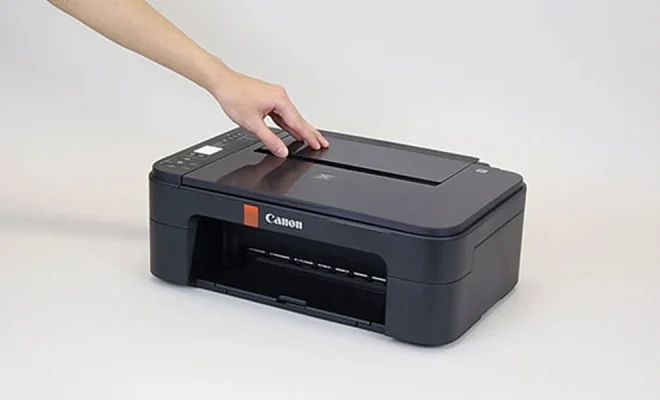
Canon has built one of the largest printer catalogs in the consumer and small office market, with the PIXMA inkjet family, the MAXIFY business inkjets, and the imageCLASS laser line each covering a wide range of models. Every Canon printer ships with documentation, and the documentation matters more than most owners realize. The manual explains exactly which ink cartridges fit your model, how to align print heads correctly, and which menu paths control features like duplex printing and direct mobile connection. This guide walks through how to find and use Canon manuals effectively.
Locating Your Model and Matching Document
Canon model numbers can look confusing until you know how to read them. A PIXMA TS6420a is different from a PIXMA TS6420, and the small letter at the end identifies a regional variant with slightly different firmware. The model number is printed on the front of the machine, inside the cartridge access door, or on the bottom of the unit. Once you have the exact number, finding the matching PDF takes seconds.
For households with multiple Canon machines, an organized library is worth bookmarking. Resources like Canon printer manuals PDF group every PIXMA, MAXIFY, and imageCLASS document by series, so you can compare features across models or download multiple guides for different units in one visit.
Setup From the First Page
Canon manuals start with unboxing and initial setup. Each PIXMA model requires removing protective film and orange tape from several places, including the print head carriage. Missing one of these strips causes paper jams and head errors on the first print attempt. The manual shows exactly which pieces to remove and in what order.
Wireless setup follows on most modern Canons. The manual lists the steps for both the Canon PRINT app on mobile devices and direct WPS connection from the printer’s own panel. Wired USB installation includes the driver source, which on current models is downloaded rather than installed from a disc.
Print Heads, Ink, and Maintenance
The maintenance section of a Canon manual is where many owners save themselves expensive service visits. Canon print heads on PIXMA inkjets occasionally need alignment after a cartridge change, and the manual shows the exact menu sequence to run an automatic alignment. The same section covers nozzle check patterns, head cleaning levels, and deep cleaning procedures for clogged nozzles.
Print quality tip: If a Canon inkjet has sat unused for several weeks, the manual recommends a nozzle check before printing important documents. The check uses a small amount of ink and reveals any clogs before they affect a real job.
For MAXIFY and imageCLASS models, the manual lists the toner part numbers, the imaging drum part numbers if separate, and the recommended maintenance interval for the fuser unit on heavy use machines.
Features Worth Discovering
Canon documentation reveals features that many owners never enable. Some PIXMA models support direct printing from SD card slots or USB drives. Others connect to cloud services through the Canon PRINT app. MAXIFY business models include scan to folder, scan to email, and confidential print queue features that resemble enterprise printer behavior.
The manual also explains how to set up multiple paper trays with different paper sizes, how to assign default trays to applications, and how to handle special media such as photo paper, envelopes, and labels.
Troubleshooting Common Issues
Canon error codes range from short letter codes on the LCD to longer numeric codes shown through the status light blink patterns. The manual translates each code into plain language and explains the recommended fix. A B200 error, for example, points to a specific hardware issue with the print head, and the manual lists the cleaning and reset procedure that resolves it in many cases.
Paper feed problems, the most common complaint about any printer, have a dedicated section in every Canon manual. The fix is usually paper specification related: the loaded paper is heavier or thinner than the tray allows, or the guides are not seated correctly against the stack.
Where to Find Manuals for Discontinued Models
Canon supports printers for many years after release, but truly old models eventually drop off the official site. Independent libraries fill the gap. Sites such as manualmachine.com archive Canon documentation across decades of products, so a fifteen year old PIXMA still has its setup and service documents accessible.
Refurbished and second hand Canon printers often come without their original paper documentation. A quick search by model number on a manuals archive replaces the missing booklet within minutes.
Final Thoughts
Canon printer manuals reward the few minutes it takes to read them. Setup proceeds cleanly without missed packing materials, print heads stay aligned and clean, hidden features become useful tools, and troubleshooting becomes a methodical process rather than guesswork. Locate your exact model number, find the matching document in an organized library, and keep it accessible for the inevitable questions that come up across years of ownership. A well used manual is one of the most cost effective accessories your printer ever had.